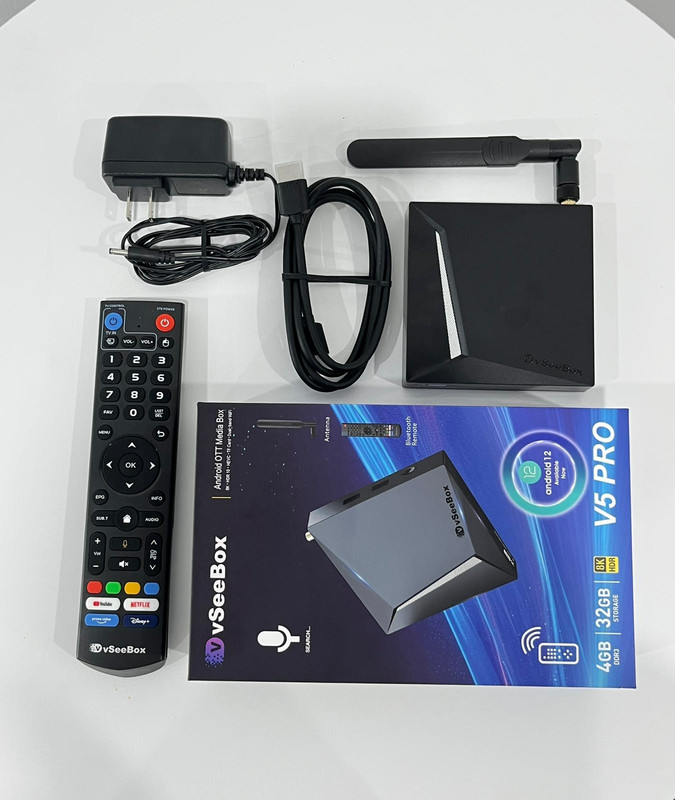
Connect the device
Plug the V5 Pro into a power outlet using the provided power adapter.
Hook up to your display
Use the included HDMI cable (or AV cable, if necessary) to connect the V5 Pro to your TV or monitor.
Install batteries in the remote
Insert two AAA batteries into the Bluetooth remote control.
Power on and wait
Allow the device to boot; you'll see the boot animation.
Pair the remote
Press and hold OK and – (Minus) together. Once pairing succeeds, the prompt "Remote control connected successfully" will appear, and setup continues.
Select language
Choose your language, then press OK.
Adjust display size
Fine-tune the screen until the edges align with your TV display; then select NEXT and press OK.
Set time zone
Choose your time zone, then press OK.
Accept user agreement
Scroll using ▼, highlight Agree, then press OK.
Connect to Wi-Fi
Select your Wi-Fi network, press OK, and enter your password.
Automatic completion
The remaining configuration, including app installations and settings, proceeds automatically. After finishing, you'll be taken to the desktop/home screen.